






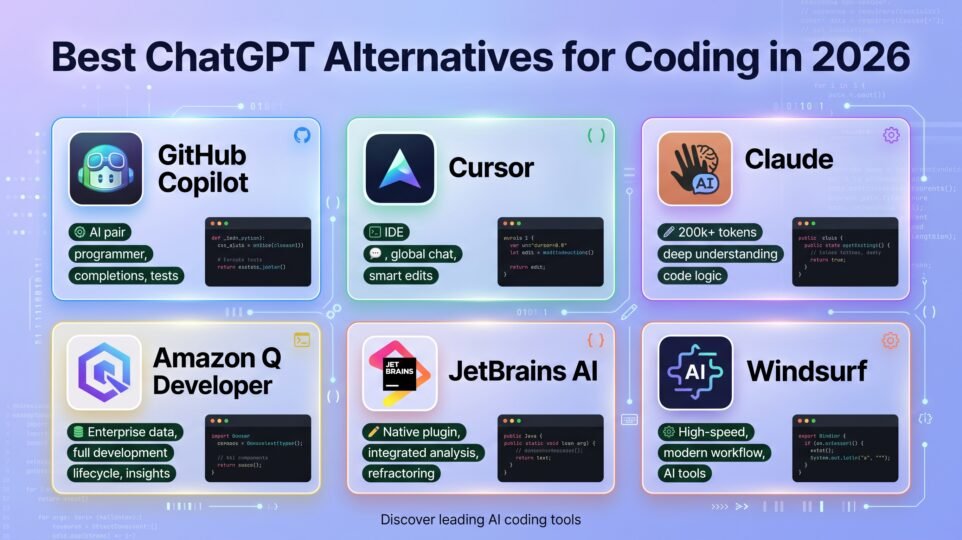
Updated: September 2026
ChatGPT is a fine coding partner in a browser tab — you paste in a function, it explains the bug, you paste the fix back. What it isn’t is in your codebase. It doesn’t see your other files, doesn’t run your tests, and doesn’t know your project’s conventions unless you re-explain them every session.
That gap is exactly what a whole category of tools now fills: AI built directly into your editor or terminal, with actual read/write access to your project. If you’re still doing the copy-paste dance with a chat window, here are six tools that skip it — with real 2026 pricing pulled from each vendor’s own page.
The short answer
- Broadest reach and best free tier: GitHub Copilot, free for 2,000 completions/month or $10/month unlimited — it’s the default almost everyone already has installed.
- Best AI-native editor for heavy, multi-file work: Cursor, from $20/month.
- Best reasoning for gnarly refactors and large codebases: Claude, via Claude Code, from $20/month (Claude Pro).
- Best if your stack lives in AWS: Amazon Q Developer — free tier, or $19/month per user for Pro.
- Best if you already live inside a JetBrains IDE: JetBrains AI Assistant, free tier or $10/month for Pro.
- Best for agent-heavy “let it just build the feature” workflows: Windsurf (now officially rebranded Devin Desktop), from $20/month.
Why this list looks a little different in 2026
Two things changed enough in the last year that older “ChatGPT alternatives for coding” roundups are now out of date. First, Codeium became Windsurf, and Windsurf was acquired by Cognition (the Devin team) and rebranded again to Devin Desktop in June 2026 — windsurf.com now just redirects to devin.ai/desktop. The product is broadly the same tool under a third name, but its Pro plan quietly went from $15 to $20/month in the process, so the “cheaper than Cursor” pitch it used to have is gone.
Second, Tabnine repositioned itself out of the budget conversation entirely. It used to be one of the go-to cheap, privacy-focused options; today its pricing page lists only Code Assistant ($39/user/month) and Agentic ($59/user/month), both billed annually, with no individual free or low-cost tier advertised. It’s now built for enterprises that need on-prem deployment and zero data retention, not a solo developer comparing it to ChatGPT — which is why it’s mentioned here but not one of the six picks below.
1. GitHub Copilot — free tier, then from $10/month
What it’s for: the safest default — inline completions and chat baked into whatever editor you already use (VS Code, JetBrains, Neovim, Visual Studio).
The Free plan gives you 2,000 code completions a month plus access to lightweight models (Haiku 4.5, GPT-5 mini) — enough to genuinely try it before paying anything. Pro ($10/month) unlocks unlimited completions, cloud agent access, and automated code review, plus $15/month of AI credits for premium models. Pro+ ($39/month) raises that to $70 in credits and adds top-tier models like Opus; Max ($100/month) goes further still for people burning through premium-model usage daily. Copilot also now runs on usage-based billing on top of the base subscription, so heavy premium-model use can cost more than the sticker price suggests.
Where it falls short of ChatGPT-in-an-editor rivals: its chat and agent quality has historically lagged a step behind Cursor and Claude Code on genuinely hard, multi-file refactors, even though the gap has narrowed.
Best for: anyone who wants the lowest-friction, broadest-compatibility option — if you’re not sure which of these six to start with, start here.
2. Cursor — from $20/month
What it’s for: a full editor (a VS Code fork) built around AI from the ground up, for people who want deep, agentic, multi-file changes rather than one-line completions.
Hobby is free with limited Agent requests and Tab completions — enough to kick the tires. Pro ($20/month) adds extended Agent limits, frontier model access, and a $20 monthly credit pool for usage beyond the included allowance. Pro+ ($60/month) roughly triples that usage, and Ultra ($200/month) goes up to around 20x the Pro limits for people running agents most of the day. Teams start at $40/user/month with centralized billing and SSO.
Where it falls short of ChatGPT: it’s usage-based on top of the subscription, and Cursor moved from a predictable request-count system to a credit-pool model in 2025 — monthly cost can vary noticeably depending on which model you use and how much agentic work you run, which makes budgeting harder than a flat ChatGPT Plus fee.
Best for: developers who’ve outgrown “autocomplete with extra steps” and want an editor built to hand off entire features to an agent, not just finish the current line.
3. Claude (Claude Code) — from $20/month
What it’s for: the closest thing on this list to “ChatGPT, but it actually understands your repo” — a terminal-based coding agent plus IDE integrations, built on the model many developers already reach for when a bug is genuinely hard.
Claude Code isn’t sold separately — it’s included in Claude’s regular subscriptions. Pro ($20/month, or about $17/month billed annually) includes Claude Code usage alongside the regular Claude Pro allowance. Max 5x and Max 20x (starting at $100/month) multiply that usage for people running Claude Code most of the workday. Team seats start at $25/month per user (Standard) or $125/month (Premium), both including Claude Code.
Where it falls short of Copilot or Cursor: it’s built around agentic, conversational, terminal-first workflows rather than fast inline ghost-text completions as you type — if what you mainly want is autocomplete, this isn’t the primary use case.
Best for: the kind of work that used to mean fifteen ChatGPT tabs open at once — large refactors, debugging across many files, and reasoning through an unfamiliar codebase. If you’ve compared ChatGPT Plus to Claude Pro for general use before, this is the coding-specific version of that same choice.
4. Amazon Q Developer — free tier, then $19/user/month
What it’s for: teams already deep in AWS who want an assistant that actually understands their cloud infrastructure, IAM policies, and services — not just their code.
The Free tier includes 50 agentic requests a month and access to current Claude models inside your IDE or CLI, with no admin dashboard. Pro ($19/user/month) raises the request allowance, adds an admin dashboard with policy management, includes IP indemnity, and automatically opts you out of data collection for model training.
Where it falls short of ChatGPT: its value is heavily tied to AWS — if your stack isn’t AWS-centric, you’re paying for infrastructure-awareness you won’t use, and the general coding-assistant quality alone doesn’t clearly beat the others here.
Best for: freelancers and small teams building and deploying primarily on AWS, where “explain this Lambda error” or “why is this IAM policy failing” matters as much as writing the code itself.
5. JetBrains AI Assistant — free tier, then from $10/month
What it’s for: anyone already paying for (or using the free tier of) IntelliJ IDEA, PyCharm, WebStorm, or another JetBrains IDE, who wants AI that’s native to that environment instead of bolted on.
The Free plan includes unlimited basic code completion, context-aware chat, and 3 AI credits every 30 days, plus support for local models via Ollama or LM Studio. AI Pro ($10/month, ~$8.33 billed annually) adds 10 credits a month (1 credit ≈ $1 of usage) and access to the Junie coding agent plus Claude models. AI Ultimate ($30/month, ~$25 annually) raises that to 35 credits and full access to frontier models across GPT, Claude, and Gemini.
Where it falls short of ChatGPT: the benefit is largely locked to JetBrains IDEs — if you work in VS Code day to day, this isn’t the tool for you, and the credit system means heavy users will burn through the included allowance and need top-ups.
Best for: developers who’ve already chosen a JetBrains IDE for the language they work in and don’t want to bounce between that and a separate AI tool.
6. Windsurf (now Devin Desktop) — from $20/month
What it’s for: agentic, “describe the feature and let it build across files” workflows, from the team behind the autonomous coding agent Devin.
Free includes 25 credits a month with no card required. Pro ($20/month) includes 500 monthly credits. Max ($200/month) targets much heavier daily agent use, and Teams starts at $40/user/month plus an $80/month base fee. Note the name: this is the same underlying product that started as Codeium, became Windsurf, and — after Cognition’s acquisition — was rebranded again to Devin Desktop in mid-2026; you may still see it referred to by either name depending on where you look.
Where it falls short of ChatGPT (and its rivals here): the repeated rebranding makes it harder to evaluate reviews and comparisons, since older “Windsurf” content may not reflect current pricing or ownership, and the Pro tier no longer undercuts Cursor on price the way it once did.
Best for: developers comfortable handing bigger chunks of a feature to an agent and reviewing the result, especially if you’re curious about Cognition’s broader Devin ecosystem.
The head-to-head, at a glance
| Tool | Entry price | Best at | Free tier? |
|---|---|---|---|
| GitHub Copilot | Free, or $10/mo | Broadest editor support, safest default | Yes (2,000 completions/mo) |
| Cursor | Free, or $20/mo | AI-native editor, heavy agentic multi-file work | Yes (Hobby, limited) |
| Claude (Claude Code) | $20/mo (Pro) | Deep reasoning, large refactors, terminal agent | No dedicated free Code tier |
| Amazon Q Developer | Free, or $19/user/mo | AWS-centric teams and infrastructure-aware help | Yes (50 requests/mo) |
| JetBrains AI Assistant | Free, or $10/mo | Already-JetBrains users (IntelliJ, PyCharm…) | Yes (3 credits/mo) |
| Windsurf / Devin Desktop | Free, or $20/mo | Agentic “build the feature” workflows | Yes (25 credits/mo) |
How to actually pick one
Start with what you already use. If you’re in VS Code and haven’t tried an AI coding tool yet, GitHub Copilot’s free tier costs nothing to test and covers most everyday needs. If you’re already in a JetBrains IDE, its native AI Assistant is the lower-friction choice over bolting on something external. If your day-to-day pain is copy-pasting whole files into ChatGPT to debug something gnarly, Claude Code is built for exactly that and is worth the $20/month on its own. And if you want an editor that treats “build this feature” as a single request rather than a dozen small ones, Cursor and Windsurf/Devin Desktop are the two purpose-built for that — try Cursor first since it currently has the more predictable track record.
Frequently asked questions
Is there a genuinely free ChatGPT alternative for coding? Yes — GitHub Copilot Free (2,000 completions/month), Amazon Q Developer Free (50 agentic requests/month), JetBrains AI Assistant Free, and Cursor Hobby all work with no payment required, though each caps usage more tightly than their paid tiers.
Which of these is closest to just using ChatGPT? Claude, since Claude Code is a conversational, agentic assistant rather than a specialized autocomplete engine — if you like ChatGPT’s back-and-forth style but want it operating on your actual files, that’s the most direct translation.
What happened to Codeium? It became Windsurf, and after Cognition (the company behind the autonomous agent Devin) acquired it, it was rebranded again to Devin Desktop in June 2026. The product is the same lineage under a new name and owner.
Should I still consider Tabnine? Only if you’re evaluating for a team that specifically needs on-premises deployment or zero data retention — its current pricing ($39–59 per user, per month, annual only) is built for that use case, not for an individual comparing it to ChatGPT on cost.
Can I use more than one of these together? Yes, and plenty of developers do — for example, GitHub Copilot for everyday inline completions plus Claude Code for the occasional big refactor, rather than trying to make one tool do everything.
Do any of these have affiliate programs? Mostly no. Unlike the AI-writing-tool space, GitHub, Cursor, Anthropic, and AWS don’t run public content-affiliate programs for these products. JetBrains is the exception — it runs an official affiliate program worth applying to if you cover its tools regularly.
Bottom line
None of these fully replace ChatGPT for general questions — you’ll still want a browser tab open for things unrelated to your codebase. But for the actual work of writing and fixing code, every tool on this list beats copy-pasting into a chat window, because they can see your project instead of a fragment of it. Start with GitHub Copilot’s free tier or whatever’s native to your IDE, and only add a heavier agentic tool like Cursor, Claude Code, or Windsurf/Devin Desktop once you’ve hit a specific wall — a refactor too large to explain in one message, or a feature you’d rather describe than hand-build file by file.
Want the general-purpose comparison this one builds on? ChatGPT Plus vs Claude Pro: Which AI Subscription Is Worth Paying For in 2026? covers the two most-searched AI subscriptions head to head before you narrow it down to a coding-specific tool.