




Updated: August 2026
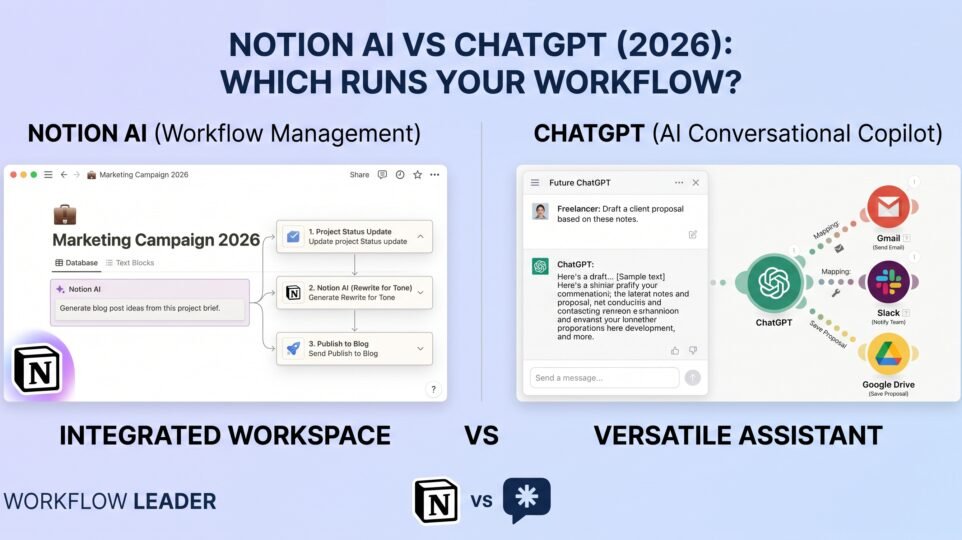
If you already live in Notion — notes, project trackers, client databases, your entire “second brain” — you’ve probably wondered whether you even need ChatGPT open in another tab. And if ChatGPT is where you already do your thinking, writing, and research, you might wonder whether paying for Notion AI on top of it is redundant. The honest answer is that they’re not really competing for the same job, even though both will happily summarize a document or draft an email for you.
I use both, for different reasons, and the difference matters more than either company’s marketing page makes it sound. Here’s the actual comparison.
The short answer
- Choose Notion AI if your work already lives inside Notion — docs, wikis, project databases, meeting notes — and you want AI that can answer questions about your own content, autofill your databases, and summarize your meetings without leaving the app.
- Choose ChatGPT if you want a general-purpose thinking and writing assistant that isn’t tied to one workspace — research, brainstorming, coding help, image generation, and recurring tasks that have nothing to do with a specific doc.
- Most freelancers and small teams end up using both: Notion as the system of record with AI layered on top of it, and ChatGPT as the everyday assistant for everything that happens outside that system. If you can only pick one, the deciding question is simple — is the thing you need help with already written down in Notion, or not?
Here’s the detail behind that.
What each one actually is
This is the part that gets glossed over, and it’s the whole reason the comparison is lopsided in places.
Notion is a workspace first, an AI tool second. It’s where you keep docs, wikis, task boards, and databases — Notion AI is a layer built on top of that content. Its superpower is that it already knows what’s in your workspace: it can search across every page you’ve written, pull answers out of a client database, autofill a property column for 200 rows at once, or summarize a meeting you just recorded, all without you copy-pasting anything into a chat box.
ChatGPT is a general AI assistant first, with some workspace-like features bolted on. It doesn’t know anything about your Notion pages unless you paste them in or connect them. What it’s built for is open-ended reasoning, research, writing, coding, and — increasingly — running tasks on a schedule or inside a defined “Project,” independent of any specific app you use.
Neither is trying to be the other. The question is which shape fits how you actually work.
Price: different structures, similar entry point
Notion’s plans: Free ($0/member), Plus ($10/member/month), Business ($20/member/month), and Enterprise (custom). Notion AI is not a separate add-on charge — it’s bundled into the plans at different depths. Free and Plus give you a limited trial of core AI features (chat, writing help, database autofill, translation). Business is where Notion AI gets real: full AI search across your entire workspace (including connected apps, in beta), AI meeting notes with transcription, and the “Notion Agent” that can complete multi-step tasks on its own. Enterprise adds the same features plus stricter data-retention guarantees.
ChatGPT’s plans: Free ($0/month), Go ($8/month), Plus ($20/month), Pro ($100–$200/month depending on usage tier), Business/Team (~$20–$25/seat/month, two-seat minimum), and Enterprise (custom). Plus and above unlock “Projects,” scheduled tasks, and custom GPTs — the closest thing ChatGPT has to a persistent workspace. Pro multiplies your usage limits and unlocks the heaviest reasoning and research modes.
The number that actually matters: if you only need Notion AI’s basics, you can get real value out of the Plus plan (~$10/member) — you don’t have to jump to Business unless you specifically need AI meeting notes, enterprise search, or the autonomous Agent. ChatGPT, by contrast, is genuinely capped on the free tier — you’ll hit a wall fast and want at least Go or Plus for daily use.
Reality check: both companies ship new AI tiers and rename features often. Treat these numbers as an August 2026 snapshot and confirm current pricing on notion.com/pricing and chatgpt.com/pricing before you commit a client or your own budget to either.
Round 1: Answering questions about your own work
This is Notion AI’s entire reason for existing, and it wins outright here.
Ask Notion AI “what did we decide about pricing in last month’s client call?” and — if that call’s notes live in your workspace — it can find the answer, cite the page, and summarize it in seconds. That’s not a trick; it’s search over content you already own, and no general chatbot can do it without you feeding it the source material first.
ChatGPT can’t see your Notion workspace by default. In paid plans you can connect it to Notion (and a growing list of other apps) through “connectors,” so it can search your workspace too — but that’s Notion catching up to ChatGPT, not the other way around, and it requires setup most casual users never do.
Winner for “questions about my own stuff”: Notion AI, clearly, unless you’ve specifically wired up connectors.
Round 2: General reasoning, research, and writing from scratch
Here the tables turn just as clearly.
ChatGPT is built for open-ended thinking: drafting a cold email from nothing, working through a business decision out loud, debugging code, doing multi-source research on a topic you know nothing about yet, generating images, or just being a smart second opinion. None of that requires anything to already exist in a workspace — you’re creating from a blank page, and ChatGPT is simply the more capable, more current model for that kind of raw reasoning.
Notion AI can draft and rewrite text too, and it’s genuinely useful for that inside a doc you’re already editing. But it’s not trying to be — and isn’t — a frontier reasoning model you’d trust with a hard research question or a coding problem the way you would ChatGPT.
Winner for “help me think through something new”: ChatGPT, by a wide margin.
Round 3: Automating repeat work
Both tools now go beyond answering questions and can actually do things on a schedule or across multiple steps, but the shape of that automation is different.
Notion’s “Notion Agent” (Business plan and up) can complete multi-step tasks inside your workspace autonomously — updating databases, drafting pages, moving tasks along a board — because it already has full context on everything in there. Custom Agents go further (free to try, then credit-based at roughly $10 per 1,000 credits) for more specialized, repeatable workspace automations.
ChatGPT’s scheduled tasks and Projects (Plus and up) let you set up recurring prompts — a daily news digest, a weekly draft you want regenerated, a standing research check-in — and custom GPTs let you package a specific assistant behavior for reuse. It’s automation of your thinking process, not automation of a specific database.
Winner for automation: it’s workspace-dependent. If the repetitive task lives inside your Notion databases, the Notion Agent wins. If it’s a recurring thinking or writing task untethered to any one app, ChatGPT’s scheduled tasks win.
Round 4: Meetings and team knowledge
If you run client calls or team meetings, Notion AI Meeting Notes (Business plan) is a genuinely strong, underrated feature: it transcribes, summarizes, and files the notes directly into your workspace, connected to whatever project or client page they belong to. That’s a meaningfully different experience than pasting a transcript into ChatGPT and asking for a summary — the output lands exactly where your team will actually look for it later.
ChatGPT can summarize a transcript just as well in isolation, but it won’t file it anywhere or connect it to the rest of your project history on its own.
Winner for meetings that need to become searchable team knowledge: Notion AI.
The head-to-head, at a glance
| Notion AI | ChatGPT | |
|---|---|---|
| What it is | AI layer inside a workspace/docs tool | Standalone general AI assistant |
| Free tier AI | Limited trial (chat, writing, autofill) | Full chat, limited uploads/images |
| Entry paid plan | Plus, ~$10/member/mo | Go, ~$8/mo |
| Where AI gets powerful | Business plan, ~$20/member/mo | Plus, ~$20/mo |
| Knows your existing docs | Yes, natively | Only via connectors (setup required) |
| Best at | Search, autofill, meeting notes, workspace tasks | Research, writing from scratch, coding, images |
| Automation style | Autonomous agent inside your databases | Scheduled tasks, Projects, custom GPTs |
| Best for | Teams already living in Notion | Anyone needing a general assistant |
Who should choose Notion AI
Pick Notion AI (on at least the Business plan, if you want the real features) if your team’s work is already organized in Notion — client databases, project trackers, a shared wiki — and you’re tired of manually digging through pages to find an answer, or manually writing up meeting notes after every call. The value here isn’t the writing quality; it’s that the AI already has full context on everything you’ve built.
Who should choose ChatGPT
Pick ChatGPT if you need a general-purpose assistant that isn’t tied to a single app — research on a topic you’re new to, a first draft written from nothing, help thinking through a decision, code, images, or a recurring task that has nothing to do with a database you maintain. This is the tool you’d want even if you never touched Notion at all.
Should you use both?
For most freelancers and small businesses, yes — and it’s not overlap, it’s two different layers. Keep your actual work — client info, project status, notes, wikis — in Notion, and use Notion AI to search and act on that content in place. Use ChatGPT as your everyday thinking partner for everything that starts from a blank page: drafting, research, coding, and decisions that don’t live in a database yet. Plenty of people paste the output of a ChatGPT brainstorm straight into a Notion page afterward — the two tools hand off to each other more than they compete.
Frequently asked questions
Is Notion AI free?
There’s a limited trial of core features (chat, writing help, database autofill, translation) on the Free and Plus plans. The full feature set — AI meeting notes, workspace-wide search, the autonomous Notion Agent — requires the Business plan.
Is ChatGPT Plus worth it if I already pay for Notion Business?
Often yes, because they solve different problems. Notion AI answers questions about your own workspace; ChatGPT is the stronger tool for research, writing from scratch, and coding. If your work regularly needs both, the two subscriptions aren’t really redundant.
Can ChatGPT read my Notion workspace?
On paid ChatGPT plans, you can connect Notion (and other apps) as a “connector” so ChatGPT can search your workspace when answering — but it’s an optional setup step, not something it does automatically like Notion AI does with its own content.
Which is cheaper for a solo freelancer?
Entry-level, they’re close — Notion Plus ($10/month) and ChatGPT Go ($8/month) are both inexpensive. Where the gap opens up is at the top: Notion Business ($20/member) unlocks meeting notes and workspace search, while ChatGPT Plus ($20/month) unlocks the strongest reasoning models and scheduled tasks. Which one is “worth” the jump depends entirely on which features you’d actually use.
Does Notion have an affiliate program?
Yes — Notion runs an official affiliate program paying up to $50 per signup plus roughly 20% of first-year revenue. OpenAI does not currently run a public content-affiliate program for ChatGPT.
Bottom line
Notion AI is the better tool when the answer to your question is already sitting somewhere in your workspace — it just saves you the trouble of finding it. ChatGPT is the better tool when you’re starting from nothing and need a sharp, general-purpose assistant to think, write, or build with you. If you already run your business out of Notion, upgrading to Business for the AI features pays for itself fast. If your work is more scattered across research, writing, and one-off tasks, ChatGPT is the one you’ll open first every morning.
Most people who try to pick just one end up adding the other within a few months — so if your budget allows it, start with whichever matches how you work today, and don’t be surprised when you want both.
Curious how these two compare to the other major AI subscription? Check out my ChatGPT Plus vs Claude Pro comparison for the full picture of what’s worth paying for in 2026.